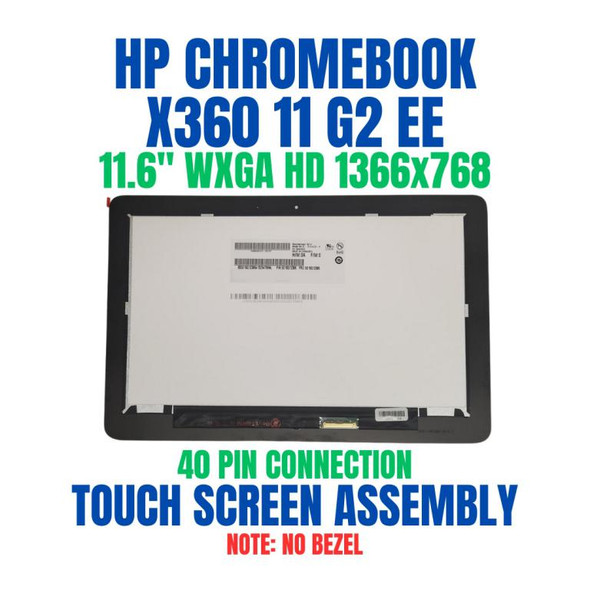
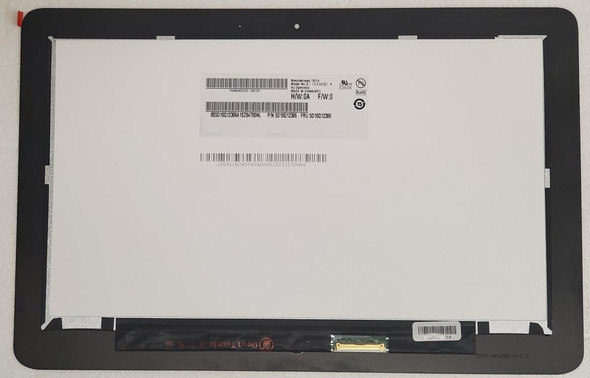
11.6" HD 1366x768 LCD Panel REPLACEMENT LED Touch Screen Display HP Chromebook X360 G2 EE

Request Bulk Quote Are you tax exempt? Display Tech Support Shipping from USA
- SKU:
- B792177-2096
- Condition:
- New
- Availability:
- In stock ready to ship from Union City, NJ USA
- Shipping:
- Real-time Shipping Charges
 International Shipping
- Looking for Local Pick-Up - Print this Pick-Up Slip








Description
Order Pre-Verification Strongly Recommended.Does it ✓ FIT your system? [Use our Pre Verification help.]
|
- Brand: Touch Screen Assembly-No Bezel
- Size: 11.6"

- Resolution: WXGA HD
- Pixels: 1366 x 768
- Backlight Type: LED
- Backlight Lamp: DIODE
- Connector: EDP
- Pin Connection: 40 Pins
- Side: Bottom Right
- Finish: Transparent
- Condition: NEW
- Commodity: Touch Screen Assembly-No Bezel
- Technology: Touch
- Dead Pixel Policy: In Accordance with ISO 13406-2 norm.
- Source: Factory Direct
- Packaging: Fragile Customized Package
- Compatibility: OEM
- Warranty Information: Covered by 30-day replacement warranty.
L53206-001
NV116WHM-T10
L53205-001/L53206-001
HP CBx36011G2 CelN4000 11 4GB/32 PC Int
HP CBx36011G2 CelN4000 11 8GB/32 PC
HP CBx36011G2 CelN4000 11 8GB/64 PC
HP CBx36011G2 CelN4100 11 4GB/32 PC
HP CBx36011G2 CelN4100 11 8GB/64 PC
HP CBx36011G2 CelN4000 11 4GB/32 PC HP CBx36011G2 CelN4000 11 4GB/32 PC Int HP CBx36011G2 CelN4000 11 8GB/32 PC HP CBx36011G2 CelN4000 11 8GB/64 PC HP CBx36011G2 CelN4100 11 4GB/32 PC HP CBx36011G2 CelN4100 11 8GB/64 PCHP CBx36011G2 CelN4000 11 4GB/32 PC HP CBx36011G2 CelN4000 11 4GB/32 PC Int HP CBx36011G2 CelN4000 11 8GB/32 PC HP CBx36011G2 CelN4000 11 8GB/64 PC HP CBx36011G2 CelN4100 11 4GB/32 PC HP CBx36011G2 CelN4100 11 8GB/64 PC
HP Chromebook 11 x360 G2 EE
Display Without Bezel Casing & Digitizer Board
This listed display comes without the bezel casing and digitizer board. Installation requires proper tools to carefully remove the existing digitizer board and bezel casing from your old screen and transfer them to the new display. Its recommended that this process be done by a senior technician for the best results.
You may refer to the video here.
Videos
View AllClose
Display Upgrade - Downgrade Experiments
Considering upgrading your existing screen (e.g., 60Hz → 144Hz, FHD → QHD or 4K)?
While some upgrades are possible, they come with compatibility risks — even if the connector matches.
At Bliss Computers, we can help by checking connector compatibility (if in stock) and sharing any known upgrade history.
Do I Need a New Screen?
Related Products
Related Products

HP Chromebook X360 G1 EE LCD Panel REPLACEMENT LED Touch Screen Display 11.6" HD 1366x768

L53205-001 Replacement HP Chromebook X360 G2 EE 1366X768 11.6" LCD LED Display Screen Replacement Touch Screen