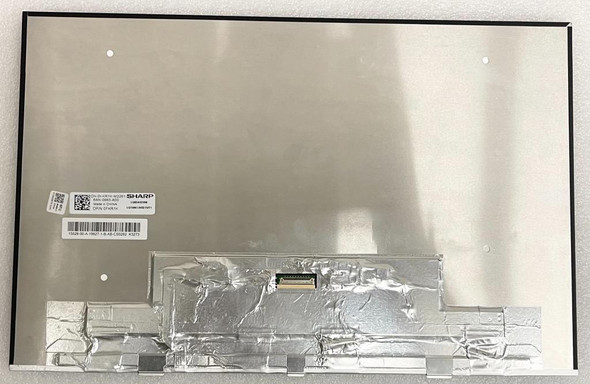
Dell 320-BEJK 17.0" FHD+ 1920x1200 InfinityEdge Non Touch Anti-Glare Display

Request Bulk Quote Are you tax exempt? Display Tech Support Shipping from USA
- SKU:
- B203188-2739
- Condition:
- New
- Availability:
- In stock ready to ship from Union City, NJ USA
- Shipping:
- Real-time Shipping Charges
 International Shipping
- Looking for Local Pick-Up - Print this Pick-Up Slip








Description
Order Pre-Verification Strongly Recommended.Does it ✓ FIT your system? [Use our Pre Verification help.]
|
- Brand: Complete Non Touch Screen Assembly Hinge Up
- Size: 17"

- Resolution: FHD+ WUXGA
- Pixels: 1920 x 1200
- Backlight Type: LED
- Backlight Lamp: DIODE
- Connector: EDP
- Pin Connection: 40 Pins
- Side: Bottom Left
- Finish: Transparent
- Condition: NEW
- Commodity: Complete Non Touch Screen Assembly Hinge Up
- Technology: IGZO, InfinityEdge, Non Touch
- Dead Pixel Policy: In Accordance with ISO 13406-2 norm.
- Source: Factory Direct
- Packaging: Fragile Customized Package
- Compatibility: OEM
- Warranty Information: Covered by 30-day replacement warranty.
Check below.
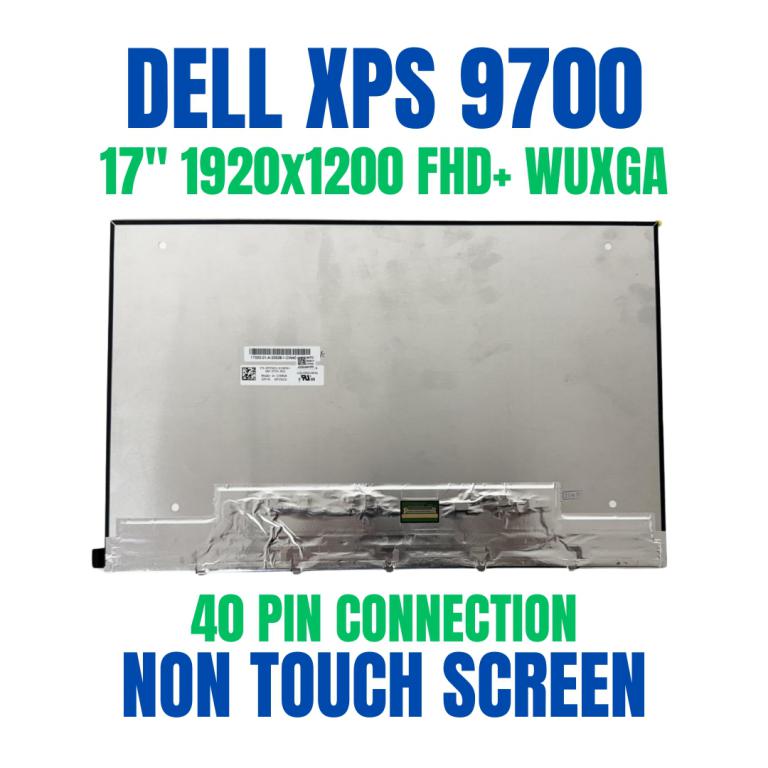 17.0" LCD Screen LQ170N1JW41 Dell XPS 9700 1920X1200 DP/N P35GV FHD Non Touch
 DELL RXJH6 Dell 0RXJH6 00RXJH6 DELL RXJH6 0RXJH6 Dell RXJH6 Dell 4KN98 04KN98 DELL 4KN98 Dell VX15H LQ170N1JW42 DELL VX15H DELL TVD8G DELL RXJH6 0RXJH6 Dell VX15H LQ170N1JW42 Dell 92N69 Dell 092N69
Dell 4D40W
Dell 04D40W
Dell 391-BGBV
Dell 38J46
Dell RXJH6
Dell 4kn98
Dell 04kn98
Dell LQ170N1JW41
LQ170N1JW41 DP/N 0P35GV Lq0dasd328
Dell 391-BGRT
Dell 19HMM
Dell 391-BFJB
Dell 92N69
Dell 092N69
LQ170N1JW42
0VRX73
Dell RPGYT 0RPGYT
Dell RPGYT
Dell 0RPGYT
Dell 391-BGQX
Dell 0VX15H
DELL P92F XPS 17 9700
DELL Precision 5760
DELL RXJH6 Dell 0RXJH6 00RXJH6 DELL RXJH6 0RXJH6 Dell RXJH6 Dell 4KN98 04KN98 DELL 4KN98 Dell VX15H LQ170N1JW42 DELL VX15H DELL TVD8G DELL RXJH6 0RXJH6 Dell VX15H LQ170N1JW42 Dell 92N69 Dell 092N69
Dell Xps 17 9700 DELL 04 DELL 05 DELL 02 Dell XPS 17 9700 Dell Precision 5750 DELL 17 LQ170N1JW42 DELL 92N69 DELL 15
Dell Precision 5750
Dell XPS 17 9710 P92F P92F002
Dell XPS 17 9700
Dell XPS 17 9720
Dell XPS 17 9730
DELL PRECISION 17 5770
DELL PRECISION 17 5760
DELL PRECISION 17 5750
Dell Precision 5770
Dell XPS 17 (9700)
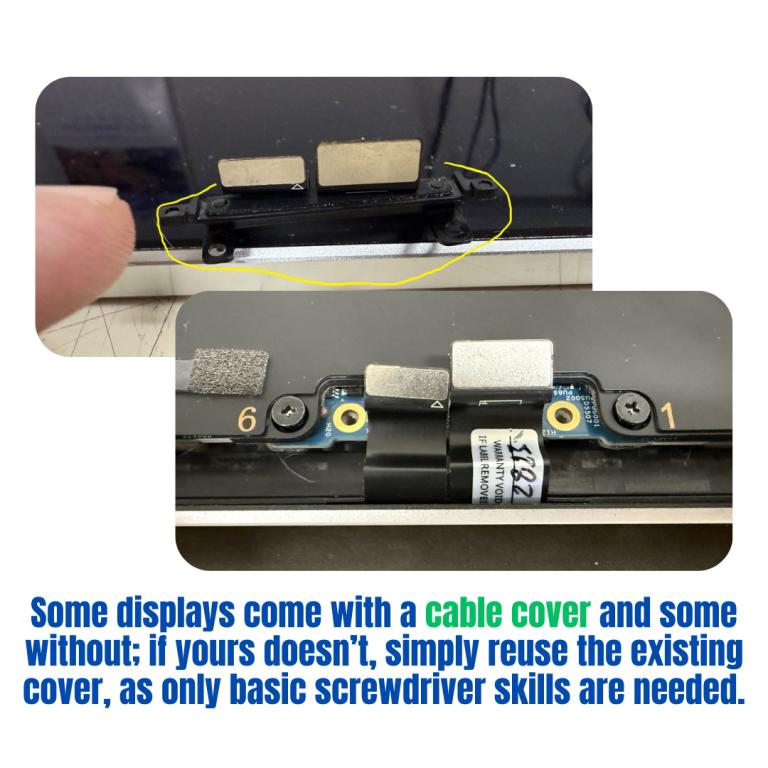
Cable Cover Installation Guide
Use this quick guide to check, reuse, and attach the cable cover on your replacement display.
-
Check the New Display
Some displays include a cable cover, while others do not.
Reuse the Old Cover (if needed)
If your new display does not have one, carefully remove the cable cover from your old screen.
Attach to the New Display
Align the cover with the cable connection.
Secure it in place using a screwdriver.
Tip: Apply gentle, even pressure and do not overtighten.
Finish Up
Make sure the cover sits firmly and the cable is not pinched or loose.
Videos
View AllClose
Display Upgrade - Downgrade Experiments
Considering upgrading your existing screen (e.g., 60Hz → 144Hz, FHD → QHD or 4K)?
While some upgrades are possible, they come with compatibility risks — even if the connector matches.
At Bliss Computers, we can help by checking connector compatibility (if in stock) and sharing any known upgrade history.
Do I Need a New Screen?
Related Products
Related Products


Dell 391-BHMW: 17.0" FHD+ 1920x1200 InfinityEdge Non Touch Anti-Glare Display


Dell 320-BEHS 15.6" FHD+ 1920x1200 InfinityEdge Non Touch Anti-Glare Display Screen


391-BGRT 19HMM 17.0" FHD+ 1920x1200 InfinityEdge Non Touch Anti-Glare Display


320-BDTM 15.6" FHD+ 1920x1200 InfinityEdge Non Touch Anti-Glare Display