

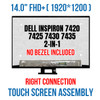
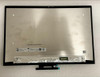
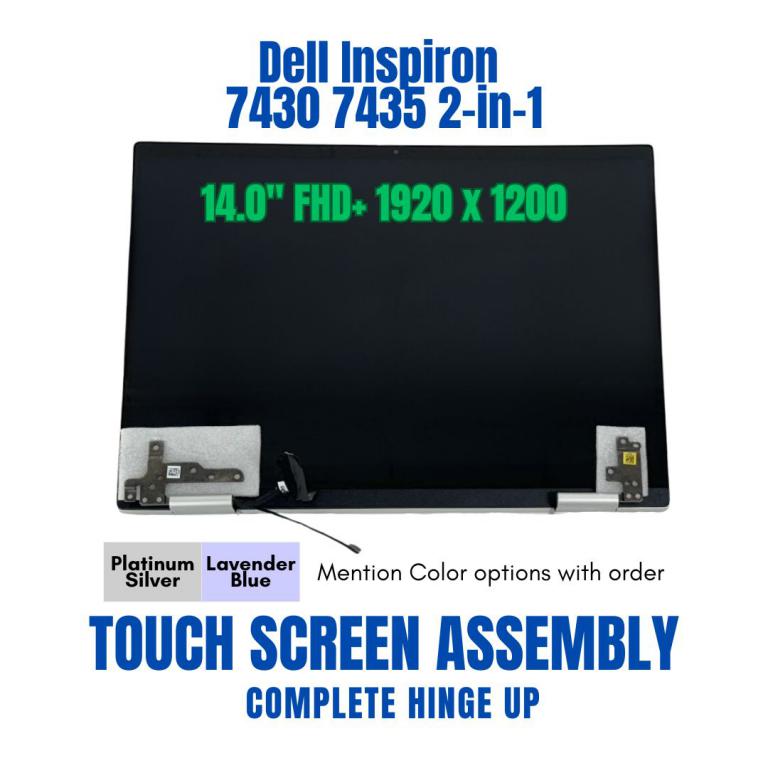
14" Dell Inspiron 7430 7435 2-in-1 FHD LCD Screen Touch Panel Assembly Display

Request Bulk Quote Are you tax exempt? Display Tech Support Shipping from USA
- SKU:
- B946153-2951
- Condition:
- New
- Availability:
- In stock ready to ship from Union City, NJ USA
- Shipping:
- Real-time Shipping Charges
 International Shipping
- Looking for Local Pick-Up - Print this Pick-Up Slip


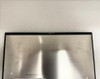

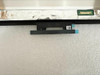




To see a printable version of listed Display click here
Description
Order Pre-Verification Strongly Recommended.Does it ✓ FIT your system? [Use our Pre Verification help.]
|
- Brand: Touch Screen Assembly-No Bezel
- Size: 14.0"

- Resolution: FHD+ WUXGA
- Pixels: 1920 x 1200
- Backlight Type: LED
- Backlight Lamp: DIODE
- Side: Bottom Right
- Finish: Transparent
- Condition: NEW
- Commodity: Touch Screen Assembly-No Bezel
- Technology: 2-in-1, Touch
- Dead Pixel Policy: In Accordance with ISO 13406-2 norm.
- Source: Factory Direct
- Packaging: Fragile Customized Package
- Compatibility: OEM
- Warranty Information: Covered by 30-day replacement warranty.
Dell 0HWY0J
Dell 50G18 050G18
N140JCA-EEL
Dell T63R4
Dell 0T63R4
Dell KJHRG
Dell 0KJHRG
Dell 50G18
Dell 050G18
Dell 28P7C
Dell 10HJ3
Dell 010HJ3
Dell 028P7C
nv140wum-a10
Dell 10HJ3 010HJ3
Dell 28P7C 028P7C
NV140WUM-N42 Dell Y3G73 0Y3G73
Dell 10HXF
NV14N42
EDID BOE0A2A
Dell 391-BGIG
Dell RWCF8
Dell 0RWCF8
Dell Y3G73
Dell 0Y3G73
50G18
Dell 5K0M2
Dell 05K0M2
Dell JJR4F
Dell 0JJR4F
Dell 2V84F
Dell JJR4F
Dell 2JYYF
Dell 02JYYF
2JYYF
LP140WU2(SP)(M1)
Dell inspiron 7425
Dell T63R4
Dell 0T63R4
Dell Inspiron 14 7420 2-in-1 P161G001
Dell Inspiron 14 7425 2-in-1 P161G003 P161G004
DELL Inspiron 14 7425 2-in-1
Type P161G
Dell Inspiron 14 7425
Dell i7420-7976SLV-PUS
Dell Inspiron 14 7420 2-in-1 P161G
Dell Inspiron 14 7420 7425 P161G
Dell Inspiron 14 7000 7420 7425 14" FHD Lcd Touch Screen Assembly P161G P161G001
INSPIRON1474252N1
Dell Inspiron 14 7430 2-in-1 P172G P172G001
Dell Inspiron 14 7000 (7420) 2-in-1
Dell Inspiron 7430 7435 2-in-1
Dell Inspiron 14 7430 2-in-1
I7435A111
Display Without Bezel Casing & Digitizer Board
This listed display comes without the bezel casing and digitizer board. Installation requires proper tools to carefully remove the existing digitizer board and bezel casing from your old screen and transfer them to the new display. Its recommended that this process be done by a senior technician for the best results.
You may refer to the video here.
Display Upgrade - Downgrade Experiments
Considering upgrading your existing screen (e.g., 60Hz → 144Hz, FHD → QHD or 4K)?
While some upgrades are possible, they come with compatibility risks — even if the connector matches.
At Bliss Computers, we can help by checking connector compatibility (if in stock) and sharing any known upgrade history.
Do I Need a New Screen?
Related Products
Related Products


LCD Touch Screen Display Assembly Dell Inspiron 14 7430 7435 P172G P172G003


Display Assembly Dell 5K0M2 LCD Inspiron 7430 7435 2-in-1


FHD LCD Touch Screen Digitizer Assembly Dell Inspiron 14 7420 7425 7430 7435

